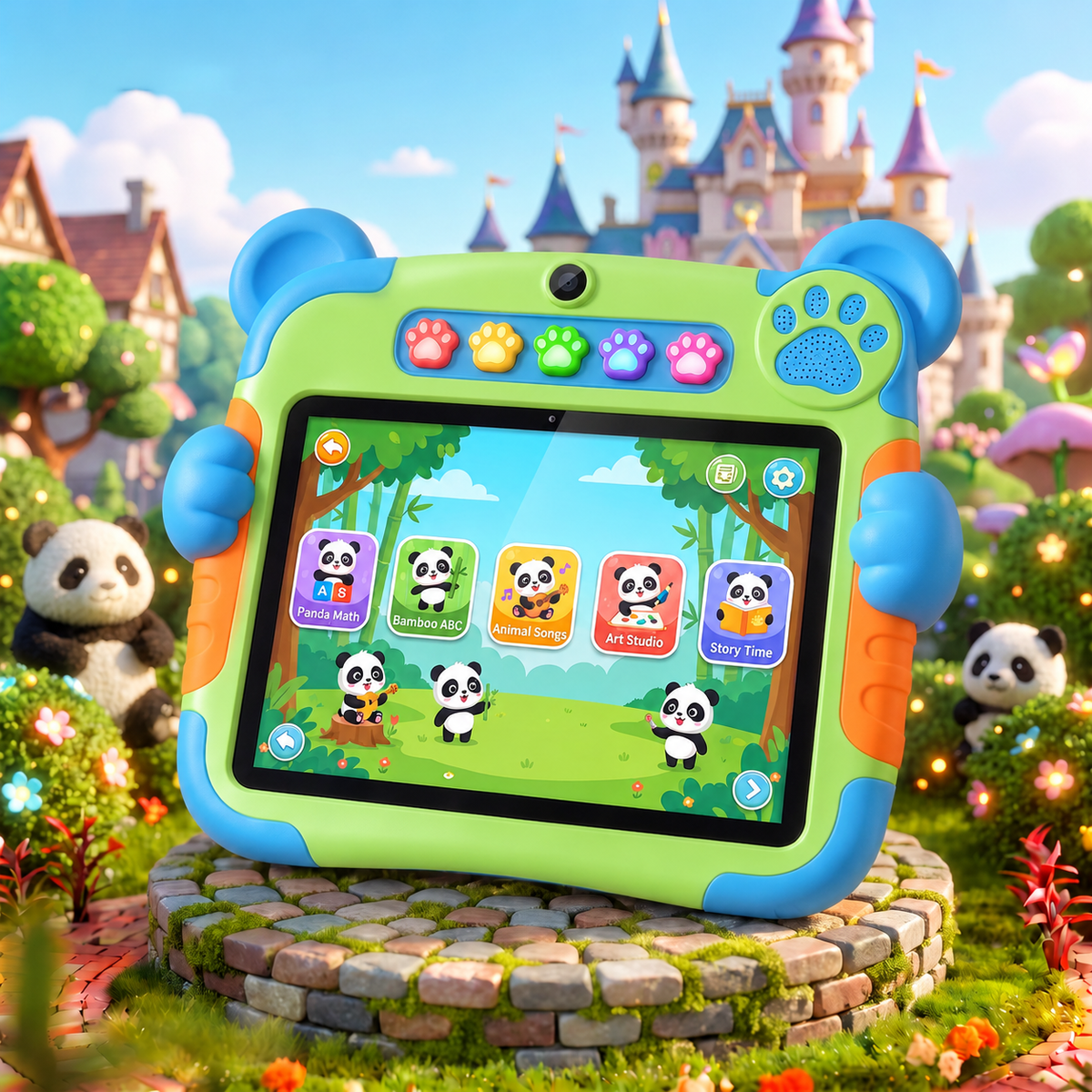
NESTIVOY Panda Kids Learning Tablet | Educational Content, Creative Tools & Kid-Proof Design
NESTIVOY Panda Kids Learning Tablet | Educational Content, Creative Tools & Kid-Proof Design
Couldn't load pickup availability

NESTIVOY Panda Kids Learning Tablet | Educational Content, Creative Tools & Kid-Proof Design
Meet the Panda. Fall in Love with Learning.
Panda Math, Bamboo ABC, Animal Songs, Art Studio, Story Time — five worlds of educational fun waiting behind five glowing paw-print buttons, all wrapped in a bear-ears case that children reach for before they even know they’re learning something.
🐼 Educational Content & Fun Learning
From counting bamboo to learning the ABCs with panda friends, the NESTIVOY Panda tablet’s built-in educational apps are designed to match the way children actually learn — through characters they love, stories that stick, and songs they’ll be singing for days.
🎨 Creative Tools & Camera — Inspires Creativity & Imagination
A dual front camera and dedicated Art Studio app turn every session into a creative adventure — drawing, capturing, and imagining in a space that’s built for a child’s curiosity and big enough for wherever it takes them.
🛡️ Durable & Kid-Proof Design
Bear-ear corner bumpers, reinforced orange side grips, and a fully sealed protective shell make this tablet built to survive every drop, tumble, and enthusiastic handoff — so children can play freely and parents can stop worrying.
🐾 Easy Parental Controls & Built-In Kickstand
Five glowing paw-print shortcut buttons give children one-press access to their favourite subjects, parental controls keep the content safe and screen time managed, and the large A-frame built-in kickstand means the tablet stands up on any surface — desk, floor, or car tray — whenever hands-free viewing is exactly what the moment calls for.
Getting Started
Step 1 — Power on the NESTIVOY Panda tablet and set up parental controls to create a safe, curated space for your child.
Step 2 — Let your child press one of the five glowing paw-print buttons to launch Panda Math, Bamboo ABC, Animal Songs, Art Studio, or Story Time instantly.
Step 3 — Open Art Studio and hand over the stylus to start drawing, or tap Animal Songs for a music session with the panda characters.
Step 4 — Flip out the A-frame kickstand for hands-free storytime or desk learning, and charge via the side port when the adventure wraps up.
Learning is better with a panda friend. — NESTIVOY